
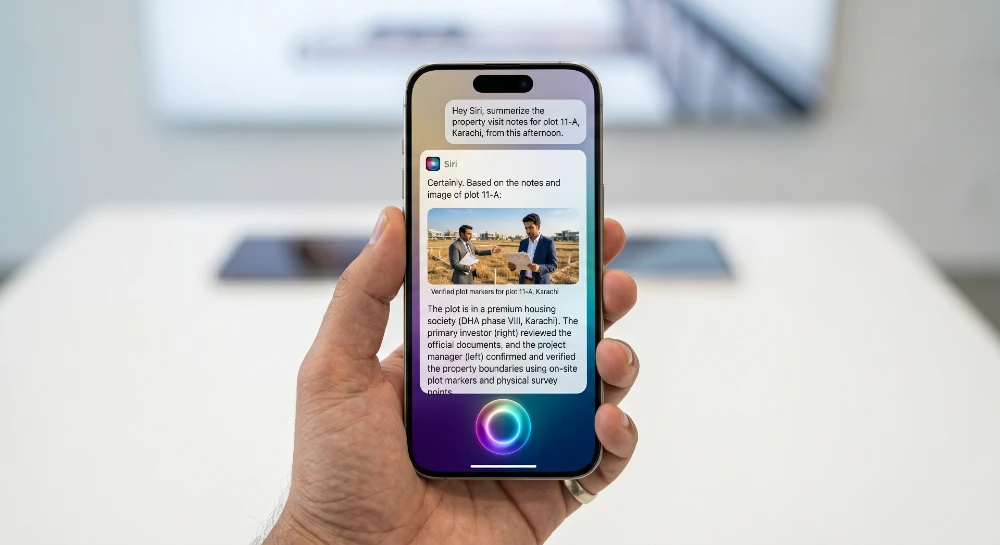
Apple just killed old Siri. Not metaphorically at WWDC 2026 on June 8, the company rebranded its assistant entirely as “Siri AI” and admitted publicly what most iPhone users already knew: the old version wasn’t good enough. The new one runs on Google’s Gemini. Here’s what that actually means for your phone.
- Siri AI is now a genuine AI assistant powered by a custom ~1.2-trillion-parameter Google Gemini model running through Apple’s Private Cloud Compute, not just voice commands that misfire half the time.
- Best for iPhone 11 and newer users on iOS 27 who want a ChatGPT-style assistant deeply integrated into their device; skip if you need it today it ships in fall 2026.
- The one capability that changes everything: Siri can now read your screen in real-time and take action across apps without you switching between them.
- Biggest mistake to avoid: assuming this is just a UI refresh the underlying architecture is completely different, and older workflows like “Hey Siri, set a timer” still work but that’s now the floor, not the ceiling.
- If you’re already deep in the Google ecosystem, Gemini’s own standalone app does most of this now but without Apple’s on-device privacy layer.
Why Apple Scrapped Old Siri Instead of Patching It
Apple spent two years trying to patch the old Siri. That approach failed visibly. Promised features got delayed, rival assistants pulled ahead fast, and by late 2025, the gap between Siri and ChatGPT or Google Gemini was embarrassing for a company sitting on a $3 trillion market cap.
The honest diagnosis: Siri’s original architecture was built for voice commands, not reasoning. It matched phrases to actions. The new AI assistants OpenAI’s GPT-4o, Anthropic’s Claude, Google’s Gemini reason across context, understand ambiguity, and chain multi-step tasks. Patching phrase-matching to do that is like duct-taping wings onto a bicycle.
So Apple didn’t patch it. Apple rebranded its assistant as “Siri AI” and confirmed what reporters had circled for months the new conversational assistant leans on a custom version of Google’s Gemini model running in Apple’s data centers. For a company that spent a decade insisting it could do AI on its own terms, paying a rival roughly $1 billion a year to power its flagship feature is a remarkable admission.
The deal itself is staggering. Bloomberg reports Apple will pay Google roughly $1 billion per year for a custom, roughly 1.2-trillion-parameter Gemini model to power Siri’s cloud features, alongside Apple’s own on-device models.
What that means practically: you’re getting the same Gemini intelligence that powers Google’s own products, but filtered through Apple’s privacy layer and baked directly into iOS at the OS level. That combination Gemini’s reasoning brain, Apple’s private infrastructure is what makes this genuinely different from just downloading the Gemini app.
What Siri AI Can Actually Do Now (The Real List)
It Lives on Your Screen, Not Just in Your Ear
This is the biggest shift people aren’t fully grasping yet. Siri can now access your Messages, Mail, Photos, and on-screen content in real-time, without switching apps.
WWDC 2026 demos showed Siri surfacing specific photos with filtered faces without opening the Photos app, building a multi-stop navigation route by identifying a beach arch from an on-screen photo, and pulling up something a contact mentioned in a week-old message.
That last one is underrated. How many times have you tried to find something someone texted you three weeks ago? You remember the gist, not the exact words. Old Siri had no shot. New Siri AI can surface it from context — “find what Jake said about the cabin trip in May” and actually deliver.
Siri AI can also write, edit, and proofread your emails, messages, or notes, similar to Writing Tools. The distinction here from standalone apps is that Siri does this in context it can read a thread you’re replying to and match the tone of your previous messages, not just paste generic text.
The Dedicated App Changes How You Use It
The new version of the voice assistant is now comparable to a full-fledged chatbot Siri AI comes with a dedicated app where users can revisit past conversations synced privately across iPhone, iPad, Mac, and Apple Vision Pro through iCloud.
This matters more than it sounds. One of the reasons people defaulted to ChatGPT or Gemini’s standalone apps was continuity — you could pick up a conversation, reference earlier context, build on previous sessions. Apple’s Siri had none of that. Each interaction was isolated.
You’ll be able to go from interacting with Siri on your iPhone to picking up the same conversation on your Mac, thanks to the dedicated Siri app available across Apple’s platforms.
So you start a research task on your iPhone during lunch, then pick it up on your Mac at your desk. Same conversation, same context. That’s no longer a ChatGPT-only advantage.
Camera-Based Queries Are Now Actually Useful
Users can access Siri via the camera, allowing them to take a picture of a meal to get nutritional information or snap a shot of a dinner bill to split it with friends.
Visual Intelligence allows Siri to understand and act on visual input on iPhone, this is embedded directly into the Camera app, enabling users to point their device at objects, text, or scenes and receive contextual responses or actions. The feature extends across macOS and iPadOS too, including screenshot tools.
In practice, this is where Gemini’s multimodal capability shows up most clearly. You’re not just asking “what is this?” — you’re asking Siri to act on what it sees. Point at a restaurant menu and ask it to highlight dishes that are gluten-free. Point at a form and ask it to extract the key fields. The old Siri would have said “I found something on the web.”
Multi-Step Tasks Without You Babysitting Each Step
In one example, Apple demonstrated using Siri to find out more about files on a computer — a user shopping for a shed could highlight multiple files in different formats, ask Siri to compare them, and Siri would create a comparison chart. The user could then tell Siri to draft an email to order the shed.
That’s a two-step task that crosses file management and email composition two separate apps, zero manual switching. This is the agentic behavior that AI researchers have been working toward, and it’s now integrated into a device most people already own. If you want to understand how this type of AI agent workflow is evolving more broadly, our breakdown of the latest AI agent developments in 2026 covers the full picture.
Conversational Back-and-Forth (Finally)
The upgraded assistant enables users to engage in back-and-forth conversations and execute tasks through the assistant — it’s more conversational than its predecessor and features a dedicated app along with customizable voice options.
The “customizable voice options” detail is worth noting. This isn’t just aesthetic different voices carry different tonal registers, and for people who use Siri for extended tasks, the interaction quality matters. You’ll be able to choose voices that feel less robotic, less corporate, more appropriate for how you actually use the assistant.
The Privacy Setup You Need to Understand
Apple’s privacy story here is more nuanced than the marketing suggests. It’s not simply “your data stays on your device.” The reality is a tiered system.
Tasks can be processed on-device, through Apple’s Private Cloud Compute, or with Gemini when needed. Apple Intelligence will continue to run on Apple devices and Private Cloud Compute, while maintaining Apple’s industry-leading privacy standards.
Here’s the practical breakdown:
- Simple tasks (timers, quick lookups, dictation) run entirely on-device. Nothing leaves your phone.
- Medium-complexity tasks route through Apple’s Private Cloud Compute Apple’s own servers where, they claim, your data is processed and immediately discarded.
- Complex reasoning tasks — where Gemini’s full model capability is needed hit Google’s infrastructure via Apple’s pipeline.
Privacy remains paramount with the new architecture and Private Cloud Compute when it handles a request, user data is never stored or made accessible.
The catch? You’re trusting both Apple and Google’s infrastructure for those Gemini-powered requests. Apple maintains it controls what Gemini receives and that no user data is stored, but independent verification of that claim doesn’t exist yet. If you’re processing sensitive professional data and that concern is real for you, it’s worth knowing your boundaries.
This is meaningfully different from just using the Gemini app directly with that, your data goes to Google with no Apple intermediary. For most people, the Apple-mediated version is the better privacy choice. But it’s not zero-exposure.
Apple Just Killed Old Siri What the Old One Actually Couldn’t Do
Worth saying plainly, because the contrast clarifies what’s changed:
Old Siri ran on phrase-matching rules. It didn’t understand context across a conversation. It couldn’t read your screen and act on it. It couldn’t chain tasks across apps. It couldn’t reference a message from three weeks ago without exact search terms. It couldn’t look at a photo and reason about what’s in it.
Every one of those limitations is now addressed.
The new version of Siri is contextually aware, with the ability to learn about you and understand what’s happening on your screen. It’s also multi-modal, meaning it can see and understand text, audio, imagery, and videos.
The multimodal part is what “old Siri” fundamentally lacked. A voice assistant that can’t see isn’t useful in a world where everything you do is visual screenshots, photos, documents, on-screen content. The new Siri operates in that visual layer, not just the audio one.
How This Compares to the Competition Right Now
The honest ranking as of June 2026: Gemini’s standalone app is still more capable for complex research and coding tasks. ChatGPT has a broader plugin and integration ecosystem. Claude from Anthropic handles nuanced writing and analysis better.
So why use Siri AI? Integration depth. None of those apps sit at the OS level of your iPhone. None of them can access your Messages, your Photos, your open apps, and your on-screen content simultaneously. That system-level access is something Gemini, ChatGPT, and Claude can’t replicate on iOS because Apple doesn’t give them the permissions Siri gets.
If you’re deciding between these for day-to-day use, our comparison of Gemini vs. ChatGPT for practical tasks lays out where each actually wins. For understanding which AI assistants are worth using in a business context, this breakdown of the best AI assistants for business automation gets into the specifics.
The short version: use Siri AI for anything device-integrated. Use Gemini, ChatGPT, or Claude for standalone research, coding, or complex writing tasks where you want dedicated chat interfaces.
What’s Still Missing (Be Honest About This)
A few things people are expecting that aren’t fully there yet, or aren’t confirmed:
Third-party app depth is still limited. The demos focused on Apple’s own apps Mail, Messages, Photos, Files. Deep integration with apps like Spotify, Slack, WhatsApp, or Notion depends on those developers building to Apple’s new APIs. That takes time. Don’t expect seamless Siri control over non-Apple apps at launch.
Developer APIs are still being detailed. Developer APIs for third-party apps to integrate with the new Siri were listed as part of the roadmap but the full scope isn’t finalized publicly yet. What Siri AI can do in third-party apps will expand over 2026 and 2027 as developers adopt the new frameworks.
It ships in fall 2026. iOS 27 isn’t available yet. A developer beta exists, but the public release is months out. Everything announced at WWDC 2026 is a preview of what’s coming, not what you can use this week.
The $1 billion Google deal changes nothing about your experience directly — but raises a question. Apple’s relationship with Google is already complex (Google pays Apple billions per year to be the default search engine in Safari). Adding a $1B/year Gemini deal means Apple is now deeply financially tied to Google in two major product areas. What happens to that relationship if antitrust regulators intervene? It’s a long-term risk, not an immediate one, but worth tracking.
The Agentic Shift: Siri AI as a Background Worker
One of the quieter announcements that deserves more attention: Siri AI is starting to operate in the background, not just when you actively invoke it.
Apple is extending agentic capabilities into system apps such as Passwords the updated Passwords app can now automatically navigate websites, sign users in, and update credentials when changing passwords, handling the process in the background.
That’s agentic AI behavior — Siri completing multi-step tasks autonomously while you’re doing something else. This is the direction the entire AI industry is moving. Our explainer on what agentic AI actually means in 2026 covers why this shift matters and where it’s going.
The implication: Siri isn’t just answering questions anymore. It’s executing tasks. That distinction between “assistant” and “agent” is significant. An assistant waits to be told what to do. An agent takes initiative within defined boundaries. Apple is moving Siri toward the agent model, which is where every major AI company is pointing right now.
Safari Gets Smarter Too (Separate From Siri AI)
Apple Intelligence isn’t confined to Siri. The new “organize tabs” feature uses AI to automatically group browser tabs together based on topics like shopping, travel, or work. Safari can automatically keep track of changes in a webpage with a new “notify me” feature users tell Safari the change they want to see on the webpage, and it monitors and alerts them.
The “notify me” feature is practical in a way Apple rarely announces. You’re tracking a price drop on a product, a job posting update, a flight fare change instead of manually refreshing, you describe the condition and Safari watches. This runs on-device. No third-party service. No subscription.
What This Means for the Google Gemini Relationship Long-Term
Apple partnering with Google its main competitor in mobile to power its flagship AI product is genuinely strange to think about. But it reflects something real: building frontier AI models from scratch requires infrastructure investment that even Apple has struggled to execute fast enough.
Google’s Gemini team has spent years and billions building the model that now powers Siri AI. You can see how the Gemini model itself has evolved including its recent Mac app launch and platform expansions in this overview of Google Gemini’s Mac rollout.
The bet Apple is making: its hardware, its privacy infrastructure, and its device integration create a moat that Gemini alone can’t replicate. Even if Google has the same model, it doesn’t have OS-level access to your iPhone. That’s what Apple brings to this partnership.
Whether that moat holds long-term depends on whether Apple builds enough proprietary AI capability to eventually reduce or eliminate its dependence on Gemini. The current deal is a bridge. Apple is betting it can become competitive on its own within a few years. For now, Gemini is doing the heavy reasoning work.
When to Expect It and What You Need
- Ships: Fall 2026, with iOS 27, iPadOS 27, macOS 27 (called Golden Gate)
- Compatible devices: iPhone 11 and newer (same as iOS 26) no cuts
- Best experience: iPhone 15 Pro and newer for the full visual intelligence and camera-based features
- Mac requirement: macOS 27 drops Intel support entirely if you’re on an Intel Mac, you’re out
- Cost: No separate subscription announced bundled with iOS 27 at launch. Apple Intelligence’s more advanced features may require Apple One or future tiers; not confirmed yet
You can’t install iOS 27 as a regular user yet, but you can prepare. Enable iCloud sync across your iPhone, iPad, and Mac now — Siri AI’s conversation continuity depends on it. If you’re on an Intel Mac, start evaluating the upgrade to Apple Silicon sooner rather than later. And if you’re curious what Gemini can already do as a standalone assistant before it comes to Siri, the current Gemini app capabilities and quirks including server reliability issues are worth knowing before the iOS 27 rollout hits.
The new Siri isn’t a promise anymore. It shipped at WWDC. Fall 2026 is when it lands on your phone.


