
Janitor AI supports custom API keys — and DeepSeek is now one of the best options to plug in. It’s faster than GPT-3.5, cheaper than Claude, and handles roleplay-style prompts without the constant refusals you get from OpenAI’s free tier.
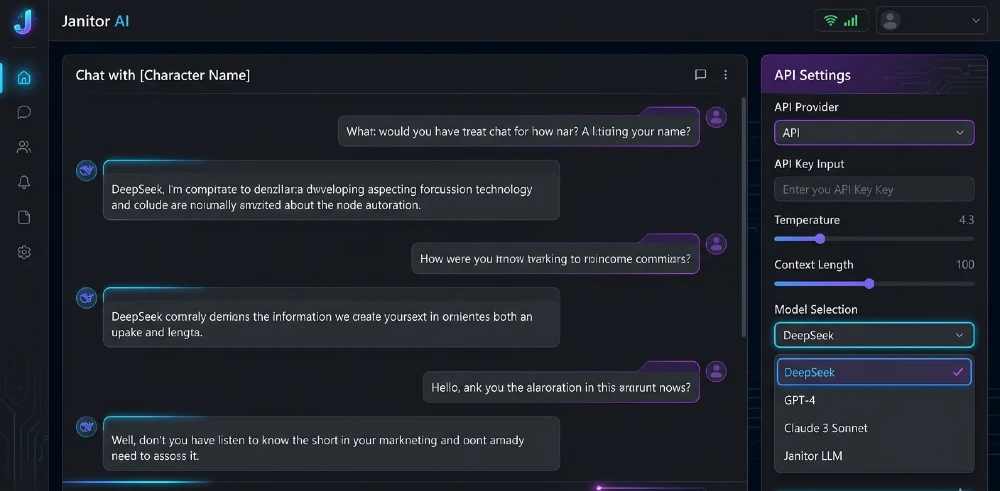
- The fastest way to use DeepSeek on Janitor AI is to grab an API key from platform.deepseek.com and paste it into Janitor AI’s “API Settings” under a custom OpenAI-compatible endpoint.
- Best for users who want longer context responses, lower costs, and fewer content filters skip it if you only need casual chat and already have an OpenAI key that works fine.
- The most important step is setting the base URL correctly to https://api.deepseek.com/v1 missing this is why 90% of setups fail.
- Biggest mistake: using the wrong model string. DeepSeek on Janitor AI needs deepseek-chat or deepseek-reasoner, not a GPT model name.
- If DeepSeek’s free tier rate limits you mid-session, OpenRouter is the cleanest fallback it routes to DeepSeek without you managing API keys directly.
Why DeepSeek Works on Janitor AI (And Why Most People Don’t Know This)
Janitor AI isn’t locked to OpenAI. It supports any API that follows the OpenAI-compatible REST format and DeepSeek does exactly that. The endpoint structure, the authentication header, the message format it all mirrors what OpenAI uses, which means Janitor AI can talk to DeepSeek without any hacks.
So the setup isn’t a workaround. It’s a supported configuration. You’re just pointing Janitor AI at a different server.
Why does this matter? DeepSeek’s models particularly DeepSeek-V3 and the reasoning-focused DeepSeek-R1 are genuinely competitive with GPT-4o on most benchmarks while costing a fraction of the price. The input pricing sits around $0.27 per million tokens for DeepSeek-V3 as of early 2026. GPT-4o runs closer to $5. For heavy Janitor AI users burning through long roleplay sessions, that gap adds up fast.
TheDeepSeek effect on AI training costs has been dramatic across the industry and for end users, it means access to a capable model at near-zero cost if you stay within the free tier limits.
What You Need Before Starting
You don’t need anything exotic. Three things:
- A Janitor AI account (free works, but a Plus account removes some UI restrictions)
- A DeepSeek API key from platform.deepseek.com
- About 10 minutes
That’s it. No browser extensions, no VPN, no developer console tricks.
One thing worth knowing upfront: DeepSeek’s free API tier gives you rate-limited access. It’s fine for casual sessions. If you’re running longer, continuous roleplay with memory-heavy characters, you’ll hit the ceiling. Their paid tier starts cheap around $5 gets you a meaningful amount of credits but the free tier is enough to test the whole setup first.
Step 1: Get Your DeepSeek API Key
Go to platform.deepseek.com and create an account. It takes two minutes email, password, verification.
Once you’re in, navigate to the API Keys section (it’s in the left sidebar). Click “Create new API key,” give it a name (anything works “janitor” is fine), and copy the key immediately. You won’t see it again after you close that dialog. Paste it somewhere temporary a notes app, a text file, anywhere.
The key starts with sk- and is a long alphanumeric string. That format is the same as OpenAI’s, which is intentional — it’s part of why the OpenAI-compatible setup works.
Don’t add credits yet. Get the connection working first, then fund it if you want to go beyond free tier limits.
Step 2: Open Janitor AI’s API Settings
Log into Janitor AI. Before you start a chat, you need to configure the API backend. Look for the “API” button it’s usually in the top navigation or accessible through your account settings depending on the current UI version.
You’ll see a dropdown for API type. You’re looking for either:
- OpenAI API (then you override the base URL manually)
- Custom / OpenAI-Compatible API (if your version of Janitor AI shows this option)
Some Janitor AI interface versions handle this slightly differently. If you see a “Use custom endpoint” toggle or checkbox, enable it. That’s where you’ll enter DeepSeek’s URL.
Here’s the thing that trips almost everyone up: if you just paste your DeepSeek API key into the standard OpenAI API field without changing the base URL, it sends your request to OpenAI’s servers not DeepSeek’s. OpenAI then rejects it because the key is invalid. You get an authentication error, assume something’s broken, and give up. The connection itself is fine. You just sent the request to the wrong address.
Step 3: Enter the DeepSeek Endpoint and Model
This is the most important part. Fill in the fields exactly like this:
API Key: your DeepSeek key (the sk-… string)
Base URL / API Endpoint: https://api.deepseek.com/v1
Model: deepseek-chat
The base URL is non-negotiable. Without it pointing to DeepSeek’s server, nothing works. The /v1 at the end is required don’t drop it.
For the model field, your two main options are:
- deepseek-chat DeepSeek-V3, the general-purpose model, fast and good for roleplay
- deepseek-reasoner DeepSeek-R1, slower but handles complex or logic-heavy scenarios better
Start with deepseek-chat. It’s snappier, handles character voice well, and doesn’t overthink short exchanges the way the reasoner model sometimes does.
One caveat: Janitor AI’s UI gets updated periodically, and field names shift. If you don’t see a “Base URL” field explicitly, look for “API Host,” “Endpoint,” or “Proxy URL.” Same field, different label depending on the version.
Step 4: Test the Connection
Don’t open your main character for the first test. Use a simple, low-stakes character even a basic assistant persona. Send a one-line message.
If it works, you’ll get a normal response within a few seconds. DeepSeek’s latency is solid usually under 3 seconds for short responses on the chat model.
If it fails, the error message tells you almost everything:
- 401 Unauthorized your API key is wrong or wasn’t saved correctly. Re-paste it.
- 404 Not Found your base URL is wrong. Check for typos, missing /v1, or an extra slash.
- 429 Too Many Requests you’ve hit the rate limit on DeepSeek’s free tier. Wait a few minutes or add credits.
- Model not found your model string is wrong. Double-check deepseek-chat spelling.
The 404 and wrong model errors account for the vast majority of failed setups. Both are one-character fixes once you know what to look for.
How DeepSeek Performs on Janitor AI vs. OpenAI GPT
Real talk: DeepSeek-V3 handles character consistency better than GPT-3.5-turbo, which is the model most free-tier OpenAI users are actually running. GPT-4o is better than DeepSeek-V3 on nuanced character voice but most people aren’t paying for GPT-4o.
In the GPT-3.5 vs DeepSeek-V3 comparison for Janitor AI specifically:
| What matters | DeepSeek-V3 | GPT-3.5-turbo |
| Response length | Longer, more detailed | Tends to cut short |
| Character voice | Consistent | Drifts after long sessions |
| Content flexibility | More permissive by default | Frequent refusals |
| Cost per session | Significantly cheaper | Free tier available but limited |
| Speed | Fast (2-4 sec) | Fast (1-3 sec) |
The content flexibility point is why a lot of Janitor AI users specifically seek out DeepSeek. The model’s default content policy is less aggressive than OpenAI’s on roleplay content not “jailbroken,” just trained differently. You still won’t get explicitly harmful outputs, but you’ll get fewer mid-conversation refusals on mature themes that are within the platform’s intended use.
Data quality in generative AI plays a huge role in this DeepSeek was trained on a broader mix of fiction and dialogue data, which shows in how it handles character-driven scenarios compared to models optimized primarily for factual Q&A.
Using OpenRouter as an Alternative Path
If the direct DeepSeek API setup feels fiddly, OpenRouter is worth knowing about. It’s a routing layer that sits between you and multiple model providers including DeepSeek, Anthropic, Mistral, Meta, and others.
The setup on Janitor AI is nearly identical:
API Key: your OpenRouter key (from openrouter.ai)
Base URL: https://openrouter.ai/api/v1
Model: deepseek/deepseek-chat (note the prefix format OpenRouter uses)
Why bother with the middleman? A few reasons. OpenRouter gives you a single API key that accesses dozens of models — so if DeepSeek is down or rate-limited, you can switch to Mistral or Meta’s Llama without changing your Janitor AI setup. They also have a free tier that includes DeepSeek access with soft rate limits.
The downside is slightly higher latency (you’re adding a hop) and an extra account to manage. For most users, direct DeepSeek is cleaner. But if you’re experimenting with different models frequently, OpenRouter cuts the friction considerably.
Configuring Janitor AI Character Settings for DeepSeek
Getting the API connected is half the job. The other half is making sure your character prompts actually work with DeepSeek’s instruction-following style.
DeepSeek-V3 is good at following system prompts but responds best when the instructions are clear and direct. Vague character descriptions produce vague outputs. Specific descriptions produce specific outputs. That’s true for every LLM, but DeepSeek is less forgiving of ambiguity than GPT-4o.
A few prompt adjustments that make a real difference:
Specify the response format explicitly. If you want the character to respond in first person, say that. If you want a mix of dialogue and action beats, describe that format directly in the character card.
Keep the persona description tight. Long, rambling character backgrounds confuse the model. A focused 200-word persona outperforms a 600-word essay most of the time.
Set the tone with examples. Add 2-3 example exchanges in the character card using Janitor AI’s example dialogue feature. DeepSeek responds well to few-shot examples it picks up the voice quickly and maintains it.
Watch the context window. DeepSeek-V3 supports 64K token context. Janitor AI doesn’t always use all of it, but longer sessions will start to drift as the context fills. If your character starts forgetting earlier parts of the conversation, that’s the context limit showing, not the model failing.
Common Problems and How to Fix Them
The model keeps breaking character mid-conversation. Usually a prompt issue, not a model issue. Your character card’s persona instructions are probably vague enough that the model falls back to default assistant behavior. Tighten the persona description and add explicit instructions like “stay in character no matter what” in the system prompt.
Responses are shorter than expected. Check your max_tokens setting in Janitor AI’s API config. If it’s set low (under 300), the model cuts off early. Push it to 800-1200 for richer responses. DeepSeek doesn’t pad its answers — it fills the space you give it with actual content.
The API works but responses feel generic. DeepSeek-V3 with a weak character prompt produces mediocre output. The model is capable but needs context. This is the single biggest quality gap between users who get great results and users who don’t — it’s almost never the model, it’s the character setup.
Rate limit errors on free tier. DeepSeek’s free API allows roughly 50,000 tokens per minute, but with a fairly low requests-per-minute limit. Slow down your message pace or add $5 in credits to get the paid tier limits, which are substantially higher.
Session disconnects randomly. This sometimes happens with Janitor AI’s UI rather than the API itself. If the connection drops mid-session, your API settings are still saved — just reconnect and continue. Your conversation history in Janitor AI is stored client-side, so it persists.
When to Use DeepSeek vs. Other Models on Janitor AI
Not every use case needs DeepSeek. Here’s when it’s the right call and when it isn’t.
DeepSeek makes sense when:
- You want low-cost, high-volume sessions
- Your characters require longer, more detailed responses
- You’re frustrated by frequent content refusals from OpenAI
- You want a model that follows character prompts consistently
Stick with OpenAI (GPT-4o) when:
- You need the absolute best nuanced creative writing
- Your use case involves complex emotional arcs where character voice subtlety matters
- You’re already paying for OpenAI and getting good results don’t fix what isn’t broken
Consider Mistral or Llama (via OpenRouter) when:
- You want fully open-source options with no usage costs beyond compute
- Privacy matters to you and you want to self-host eventually
The open-source RAG frameworks space shows how quickly the gap between open and closed models has closed — and DeepSeek is part of that story. A year ago this would have been a trade-off. Now it mostly isn’t.
Advanced Setup: Using DeepSeek-R1 for Specific Characters
Most Janitor AI users won’t need this, but it’s worth knowing. DeepSeek-R1 is the reasoning-focused model (deepseek-reasoner in the API). It thinks through responses before producing them which makes it slower but more coherent on complex, logic-heavy scenarios.
When does this matter on Janitor AI? Characters that run games, solve puzzles, manage branching narratives, or engage in detailed world-building benefit from R1’s deliberate approach. A dungeon master character, a detective running an investigation, a chess opponent — these respond noticeably better with R1 than with the standard chat model.
The downside is latency. R1 can take 8-15 seconds to respond for complex exchanges. For pure conversation and character roleplay, that slowness isn’t worth it. Use deepseek-chat for conversation, switch to deepseek-reasoner for characters where logical consistency matters more than speed.
To switch, just change the model string in Janitor AI’s API settings. You don’t need a different API key.
What Agentic AI Setups Can Learn From This
There’s something worth noting about how Janitor AI’s flexible API system works. It’s essentially an agentic AI application built on a problem-first approach the platform identified that users wanted character interaction without provider lock-in, and built the API layer to support that directly.
This is increasingly how useful AI products get built. Instead of locking users to one model, they expose the routing layer. DeepSeek plugging into Janitor AI is the direct result of that design choice.
For anyone building their own tools on top of models, the best AI agent frameworks in 2026 follow this same pattern — provider-agnostic at the model layer, opinionated at the product layer.
If you’ve been using OpenAI’s free tier on Janitor AI and hitting constant refusals or rate limits, switch to DeepSeek today. The setup takes 10 minutes, the free tier covers casual use, and the quality jump over GPT-3.5 is immediate.
Get the API key, set the base URL to https://api.deepseek.com/v1, use deepseek-chat as the model, and test with a simple character first. Once that works, tighten your character card prompt — that’s where the real quality difference comes from. Add $5 in credits if you want uninterrupted longer sesions. That’s the whole setup.


