
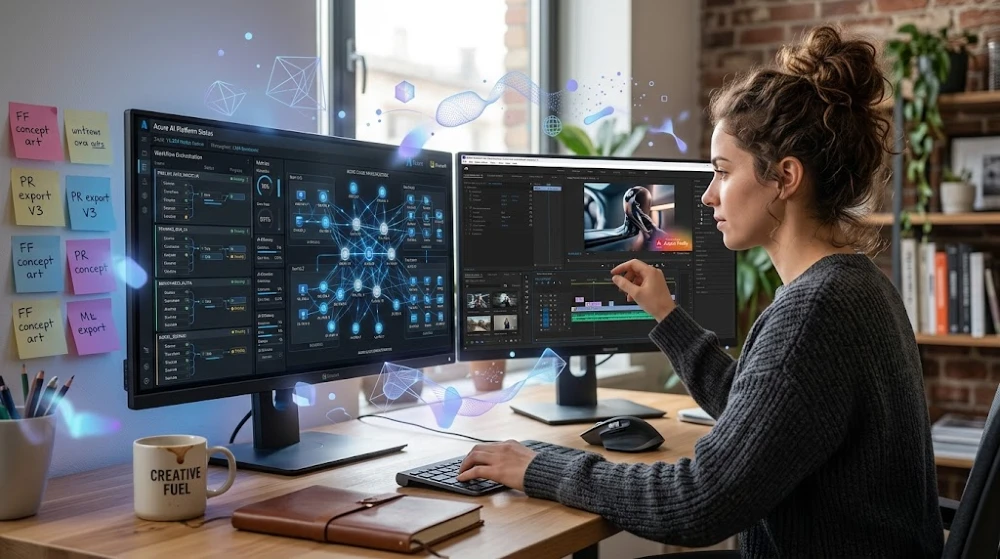
Adobe has spent three years cramming AI into every corner of Creative Cloud. The result? Some genuinely useful tools, a few half-baked features that’ll waste your afternoon, and one or two that quietly changed how professional workflows run.
You don’t need a tour of every feature. You need to know which ones to actually turn on.
The State of Adobe AI Right Now Honest Assessment
Let’s get something straight first. Adobe’s AI push isn’t new. Sensei has existed since 2016. What changed in 2025-2026 is the quality of the outputs and the depth of integration. Firefly went from interesting demo to production-ready. The generative tools inside Photoshop stopped feeling like party tricks.
But there’s a gap between Adobe’s marketing and daily reality that nobody talks about.
Here’s what I mean. After testing these tools across design, video, and document workflows for the better part of a year, the pattern that keeps showing up is this: Adobe AI works brilliantly on isolated tasks and falls apart the moment you need it to understand context across a full project. It’s exceptional at “do this thing to this object.” It’s still shaky at “understand what this project is trying to accomplish and help me finish it.”
That distinction matters enormously for how you should use it.
Firefly in Photoshop: The One That Actually Delivers
Generative Fill is the headline feature, and for once the headline is accurate.
The underlying reason it works so well in 2026 is training data. Adobe trained Firefly exclusively on licensed Adobe Stock images, which means two things: the outputs are commercially safe (no Getty lawsuits waiting to happen), and the model learned from professional-quality source material. That shows in the results.
In practice, you’re looking at a tool that handles background replacement, object removal, and content expansion at a level that would have taken a skilled retoucher 45-90 minutes to do manually. Now it’s 3-4 minutes including prompt iteration.
What nobody tells you: it struggles with hands, reflections, and anything that requires understanding physical light sources. A quick test generate a person holding something in the extended area of an image. You’ll see immediately what I mean. The hands will be close but wrong in ways that are hard to fix without just regenerating. Three to five regenerations is a realistic expectation for complex insertions.
Where it genuinely saves time:
- E-commerce product photography removing backgrounds, extending canvas, swapping environments
- Real estate imagery sky replacement, window reflection clean-up
- Editorial work removing distracting background elements
Where it wastes your time:
- Portraits where you need exact skin tone and lighting match
- Technical illustrations where precision matters more than creativity
- Anything where the client will scrutinize every pixel
Firefly’s Vector generation inside Illustrator is also worth mentioning. The Text to Vector feature shipped in late 2025 and it’s quietly become one of the most useful tools in the suite for icon work and quick concept exploration. Not for final delivery but for getting from blank canvas to three viable directions in 20 minutes? Yes.
Adobe Acrobat AI Assistant: The Underrated One
Most designers and creatives completely ignore this because it lives in a PDF viewer. That’s a mistake.
Acrobat’s AI Assistant powered by a combination of Adobe’s own models and integrated LLM infrastructure does something genuinely valuable: it reads long documents and lets you interrogate them. Briefs, contracts, brand guidelines, research reports.
Here’s the practical use case that surprised me most. A 60-page brand guidelines document, client-provided, dense with rules and exceptions. Instead of reading the whole thing before starting work, you can ask it specific questions: “What are the rules around logo clear space?” “Which typefaces are approved for digital use?” “Is there guidance on gradient usage in social media?”
The answers are pulled from the actual document, cited with page references. It’s not hallucinating it’s extracting and summarizing what’s already there.
The catch? It works per document. There’s no cross-document intelligence yet. If you need to reconcile two conflicting brand guides from a merger situation (very real scenario), you still have to do that manually. Adobe has teased multi-document analysis but it’s not stable as of mid-2026.
For legal contracts and SoW documents, it’s become part of my actual process before signing anything. Not a replacement for a lawyer, obviously, but “what are the payment terms and kill fee conditions” is a legitimate question to ask a PDF before your eyes glaze over on page 34.
This connects to broader thinking around AI safety and how we rely on these tools knowing what an AI assistant is drawing from versus what it’s generating matters enormously when the document is legally binding.
Premiere Pro AI: The Honest Breakdown
Adobe Premiere Pro’s AI tools got a significant upgrade in the 2025-2026 release cycle. Here’s what’s real:
Automatic captioning genuinely good. Accuracy on clear dialogue is around 92-95% in my testing on English content. Still needs a pass for proper nouns, technical terms, and any accented speech. But the time savings are real. A 10-minute interview that would take 30-40 minutes to caption manually now takes maybe 8-10 minutes to clean up the AI draft.
AI-powered audio cleanup (Enhance Speech) this one surprised me. Background noise removal and dialogue leveling inside Enhance Speech works well enough that I’ve stopped reaching for iZotope RX for most basic jobs. For complex audio problems, RX still wins. For “recorded in a room with HVAC noise,” Enhance Speech handles it.
Generative B-Roll (Firefly integration) here’s where I’ll be honest with you. It’s technically impressive. You describe a scene, it generates short video clips. But the uncanny valley problem in AI video is still real in 2026. Generated footage looks like generated footage. For abstract visuals, motion backgrounds, or stylized content? Useful. For anything that needs to feel authentic? Keep your camera.
Auto Reframe underused, underappreciated. Automatically reframes 16:9 content for 9:16, 1:1, and other formats by tracking the subject. Not perfect, but for social media repurposing it cuts the time significantly. If you’re still doing manual crop adjustments for every format, you’re leaving hours on the table.
Scene Edit Detection for editors working with raw footage from other sources, this tool finds cut points automatically and adds sequence markers. Saved me roughly 2 hours on a recent project involving archival footage from multiple sources.
Express and the AI-Powered Template Engine
Adobe Express got serious AI upgrades targeting the non-designer market small business owners, marketing teams, social media managers who aren’t Photoshop-trained.
The Generative Templates feature lets you describe what you want (“promotional post for a summer sale, product-forward, bright colors”) and get editable layouts. It’s legitimately good for what it’s trying to do. The problem is that most people who need this are already using Canva, and Canva’s similar features are faster to access with a lower learning curve.
Where Express wins: the Adobe ecosystem integration. If you’re already working in Photoshop and Illustrator, Express lets you output brand-consistent social content without rebuilding assets. The Brand Kit functionality that syncs fonts, colors, and logos across Express and the rest of Creative Cloud is something Canva can’t match.
For enterprise and agency teams managing multiple brand accounts, this is actually a strong argument for keeping Express in the workflow rather than treating it as the “beginner” app.
After Effects AI: What’s Here, What’s Coming
After Effects has always been the app where the gap between “what you can do” and “how long it takes” is the most painful. AI hasn’t fixed that, but it’s started chipping away at it.
Roto Brush 3.0 — Adobe’s rotoscoping AI has gotten meaningfully better. Complex hair and motion blur situations that used to require frame-by-frame corrections now hold up for longer takes. Not perfect. Long clips with fast movement still need intervention. But the time reduction is real enough to matter on deadline.
Motion Graphic Templates with AI customization interesting direction. The idea is that motion designers create templates and AI handles adaptive sizing, color adjustment, and timing for different use cases. In practice, the customization range is still limited, but you can see where this is going.
What’s coming (and honestly more interesting): Adobe has shown previews of natural language animation describing motion and having the system generate keyframes. The demos look promising. The production release is not yet stable as of mid-2026. Worth watching in Q3.
The Workflow Reality: Where Adobe AI Actually Fits
Here’s the mental model that helps.
Adobe’s AI tools are acceleration layers, not replacement layers. They compress the distance between “blank” and “close enough to react to.” They don’t take you from concept to final.
The creative workflows where Adobe AI makes the most practical difference in 2026:
Iteration speed you can get to three different visual directions in the time it used to take to develop one. That changes client conversations. Showing options changes how feedback works.
Mechanical tasks background removal, caption generation, audio cleanup, format reframing. These were always time-consuming and skill-adjacent, not skill-dependent. AI handles them. Use that time for actual creative decisions.
Research and document processing via Acrobat AI. This is the least-discussed use case and one of the most practical.
What AI doesn’t change: creative judgment, visual taste, understanding what a client actually needs, relationship management, the ability to push back when a direction is wrong. These stay human.
Adobe Firefly vs. Midjourney vs. DALL-E 3: The Real Comparison
People ask this constantly. The short answer: different tools for different jobs.
Firefly wins on commercial safety and Photoshop integration. If you need generated imagery that you can sell or use in client work without legal exposure, Firefly is the only major option with clean training data provenance. The integration inside Photoshop and Illustrator is seamless in a way that Midjourney accessed through a browser simply isn’t.
Midjourney still wins on aesthetic quality and stylistic range for pure image generation. If you’re doing concept art, moodboarding, or creative exploration where commercial licensing isn’t the constraint, Midjourney v7 outputs are still more visually interesting than Firefly’s for most use cases.
DALL-E 3 (via ChatGPT or the API) sits in the middle reasonable quality, accessible, but not best-in-class at either the quality or the integration end.
The honest workflow for most professional creatives in 2026: use Midjourney for creative exploration and moodboarding, use Firefly for anything going into actual deliverables. They’re not competing — they’re complementary.
If you’ve been hitting limits or workflow friction with AI creative tools, this guide on working around daily limits covers some useful approaches that apply to creative AI tools more broadly.
The Pricing Reality: What You’re Actually Paying For
Creative Cloud plans with full Firefly access aren’t cheap. The complete plan runs around $59.99/month for individuals as of mid-2026. For that, you’re getting generative credits bundled with Firefly premium features.
Here’s the thing people don’t calculate. If Generative Fill saves you three hours per week on a project, and your hourly rate is anything above $25, the tool has paid for itself multiple times over. The math works at professional rates.
Where it doesn’t work: if you’re using Creative Cloud for personal projects or learning, and you’re not billing hours against it, the value equation is different. The photography plan (around $19.99/month) gets you Photoshop and Lightroom with Firefly access, which is a more reasonable entry point.
The generative credit system is worth understanding. Most users on standard plans won’t hit credit limits on Generative Fill and basic Firefly features. Heavy users doing large-volume commercial image generation will. Adobe has published the credit costs per feature it’s worth checking before you build a workflow that depends on high volume.
What’s Still Broken (Be Honest About This Before Committing)
Some things need saying plainly.
Firefly’s consistency problem Generating the same character, object, or style across multiple images is still unreliable. If your project requires consistent visual elements (same person, same product, same environment across a set), Firefly isn’t reliable enough without heavy manual intervention. Midjourney’s cref and sref parameters handle this better. Adobe knows this. It’s on the roadmap.
Creative Cloud AI assistant latency some of the AI features, especially Generative Fill on complex selections and Enhance Speech on long files, take long enough to process that they interrupt flow. This is infrastructure and will improve. But if you’re on a deadline, test the processing time before you depend on it.
Cross-app intelligence gap there’s no AI that understands your full project across Premiere, After Effects, Photoshop, and Illustrator simultaneously. Each app’s AI lives in its own container. Adobe’s stated direction is toward a unified project-level assistant. It’s not there yet.
The hallucination problem in Acrobat AI — for most document queries it’s accurate. But on ambiguous questions, or when the document itself is poorly formatted, it will occasionally generate plausible-sounding answers that misrepresent what’s actually in the document. Always cross-reference anything that matters. This isn’t unique to Adobe — it’s a property of how these models work, which is why understanding how AI agents handle errors and looping is useful background for anyone building AI-dependent workflows.
How to Actually Set This Up: Minimum Viable AI Workflow
If you want to start getting real value from Adobe’s AI tools without spending three days configuring everything, here’s the fastest path.
Week one: just use Generative Fill. Open a project you’d normally spend time on retouching. Use Generative Fill for one task — background extension, object removal, or sky replacement. Time it. Compare it to how long the manual approach would have taken. This gives you a real benchmark for your specific work.
Week two: turn on Enhance Speech in Premiere. If you do any video work with dialogue, apply Enhance Speech to your next project before doing any manual audio work. See how much cleanup it eliminates.
Week three: use Acrobat AI on your next long document. A brief, a contract, a research report. Ask it three specific questions you’d normally have to search for manually. See if the answers are accurate.
That’s it. Three tools, three weeks, real data on whether Adobe AI saves you time on your specific type of work. Don’t try to adopt everything at once you’ll end up using none of it consistently.
For teams working with AI agents and more complex multi-step workflows, the LangGraph vs. Agent Zero comparison is worth reading if you’re thinking about how AI fits into orchestrated creative pipelines rather than just individual tool use.
Adobe Creative Cloud AI assistants in 2026 are the best they’ve ever been and still not what Adobe’s marketing suggests. The tools that work Generative Fill, Enhance Speech, Auto Reframe, Acrobat AI, Text to Vector work well enough to change how you allocate time on real projects.
The tools that are still catching up cross-project intelligence, consistent character generation, natural language animation are interesting enough to watch but not ready to build workflows around.
The creative professionals getting the most out of Adobe AI right now aren’t treating it as a magic output machine. They’re treating it as a way to compress the mechanical parts of their workflow so they can spend more time on the parts that actually require a human.
That’s the right framing. Start there.


