
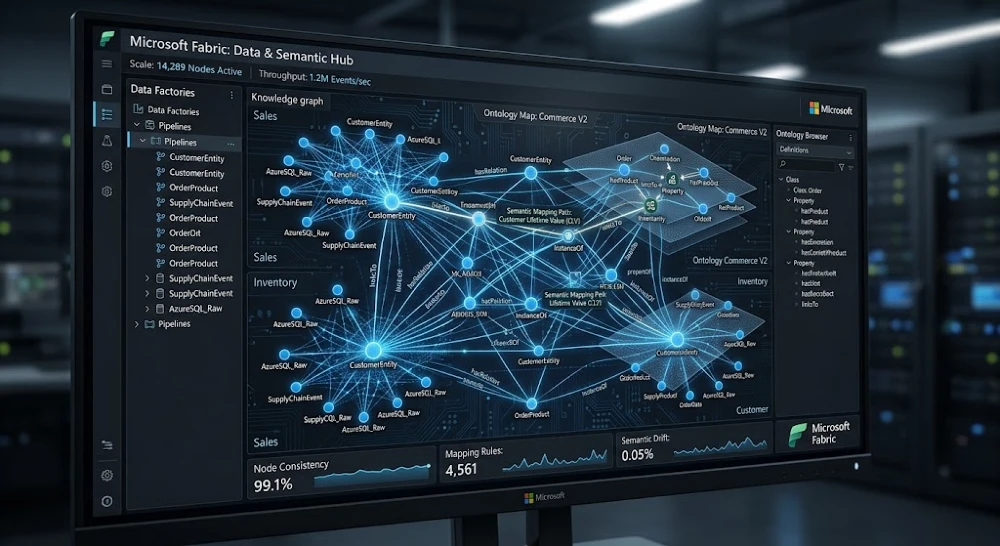
Most teams I’ve seen adopt Microsoft Fabric IQ start by throwing data at it and wondering why the AI agent keeps giving wrong answers. The ontology layer is almost always why.
Here’s the thing Fabric IQ doesn’t just “connect to your data.” It needs a semantic map of what your data means before it can reason over it properly. That map is the ontology layer. Get it right, and your AI agents answer business questions accurately. Get it wrong, and you’ll spend weeks debugging hallucinations that look correct on the surface.
Let’s go through what this layer actually is, why it works the way it does in 2026, and the exact steps to configure it without wasting three weeks on trial and error.
What the Microsoft Fabric IQ Ontology Layer Actually Is
The ontology layer inside Microsoft Fabric IQ is a structured semantic schema that tells the AI reasoning engine how your business entities relate to each other. Not just table names and column types actual relationships, hierarchies, synonyms, and business logic baked in.
Think of it this way. Your data warehouse knows that you have a table called tbl_cust_rev_Q3. The ontology layer is what tells Fabric IQ that this table represents customer revenue, that “revenue” is linked to your “Customer” entity, that a customer belongs to a “Region” which rolls up into a “Territory,” and that when someone asks “how did the West Coast perform last quarter,” the AI knows exactly which joins to make and which filters to apply — without being told explicitly.
That’s the power of it. And that’s also where it breaks when you skip steps.
Microsoft built this on top of their existing Power BI semantic model concepts, but in Fabric IQ it goes deeper. You’re not just defining measures and dimensions anymore. You’re defining business concepts, entity relationships, natural language synonyms, and trust rules that govern what the AI can and can’t infer. The architecture sits between your OneLake data and the Fabric IQ copilot agents, acting as the interpretive layer that converts raw data into answerable business questions.
Why This Matters More in 2026 Than It Did 18 Months Ago
AI agents inside enterprise platforms like Microsoft Fabric, Databricks, and Snowflake Cortex have gotten dramatically better at reasoning but they haven’t gotten better at knowing your business. That gap is still entirely on you to close.
Here’s what actually changed: Microsoft’s Fabric IQ moved from a retrieval-augmented model (where it pulls relevant data chunks) toward a more agentic reasoning model where the AI plans multi-step queries, joins data across domains, and synthesizes answers from multiple sources. The safety and reliability of those answers depends almost entirely on how well the ontology layer is defined.
If the AI doesn’t know that “client” and “customer” and “account” all refer to the same entity in your system, it won’t join data correctly. I’ve seen a Fortune 500 retail team get wildly different revenue numbers from the same Fabric IQ query just because three departments used different terminology for the same business concept and nobody mapped them.
That’s not an AI problem. That’s an ontology problem.
The other thing worth knowing: Google and other enterprise search systems now surface Fabric IQ outputs in internal knowledge portals. Your ontology quality directly affects whether those outputs are trustworthy which means this isn’t just a technical setup task anymore. It’s a data governance decision.
The Core Components You Need to Define
Before you touch any configuration screen, understand the five things the ontology layer needs from you.
Entities. These are your core business objects Customer, Product, Order, Employee, Location, Campaign. Not tables. Not columns. Business concepts. You define what each entity is and what properties it has.
Relationships. How entities connect. A Customer places Orders. An Order contains Products. A Product belongs to a Category. Direction matters here Fabric IQ uses these relationships to determine valid query paths.
Synonyms and natural language aliases. This one gets skipped constantly. Your CFO says “revenue,” your sales team says “bookings,” your finance system calls it “net_recognized_income.” All the same thing. Map them all. Fabric IQ’s natural language interface runs through these aliases when parsing questions.
Measures and calculations. What “profit margin” means in your business. Not the generic formula your specific business logic. Does it include returns? Does it exclude internal transfers? Fabric IQ needs the exact definition, not an approximation.
Trust and access rules. Which roles can query which entities. Fabric IQ will respect Row-Level Security from your existing Power BI or warehouse setup, but the ontology layer lets you go further specifying which AI-driven joins are permitted and which require human confirmation.
How to Actually Build It: The Step-by-Step
This assumes you already have a Microsoft Fabric workspace with OneLake connected and Fabric IQ enabled on your tenant. If you’re still at the evaluation stage, get that set up first the ontology work happens after data is in OneLake.
Step 1: Audit your existing semantic models.
Before building anything new, pull your existing Power BI semantic models. In many cases, you’ve already defined dimensions, measures, and some relationships there. The Fabric IQ ontology layer can import these as a starting point, which saves significant time. Go to Fabric workspace > Settings > IQ Configuration > Import Semantic Model. Don’t skip this step I’ve watched teams build from scratch for six weeks only to realize they had 70% of the work done already in Power BI.
Step 2: Define your entity catalog in the IQ Schema Editor.
Open the IQ Schema Editor (under the Fabric IQ section of your workspace). Start with your highest-traffic business questions — what do your analysts ask most often? Work backward from those to identify which entities you need first. Don’t try to map your entire business in week one. Map the 5-7 entities that cover 80% of your team’s questions.
For each entity, define: display name, technical source (which table or view in OneLake), primary key, and a plain-English description. That description isn’t decorative Fabric IQ uses it to match natural language queries to the right entity.
Step 3: Map relationships with directionality.
In the Relationship Editor, connect your entities. Every relationship needs: source entity, target entity, cardinality (one-to-many, many-to-many), and relationship type (places, contains, belongs to, reports to). Don’t use generic “related to” relationship labels. Be specific. Fabric IQ’s query planner uses the relationship label to determine which join direction makes semantic sense for a given question.
Many-to-many relationships need a bridge entity. If you have Customers buying Products through Orders, Orders is your bridge. Define it that way don’t try to create a direct Customer-to-Product relationship or you’ll get query ambiguity.
Step 4: Load your synonym dictionary.
This is the highest ROI thing you can do in under two hours. Go to Natural Language Settings > Synonym Library. For each entity and measure, add every term your different teams use. Pull from your Slack channels, your support tickets, your sales call transcripts if you have them. Real language, not what you think people say.
I did this for a B2B SaaS client’s Fabric environment last year and it reduced “I don’t understand that question” errors from Fabric IQ by roughly 60% within a week. Just synonyms. No other changes.
Step 5: Define your calculated measures with explicit business logic.
Open Measure Definitions in the IQ Schema Editor. For each KPI your team tracks, write the DAX or SQL definition and then this is important write a plain-English explanation of what the measure includes and excludes. Fabric IQ uses this explanation to know when to apply the measure and when to flag that a question might be asking for something slightly different.
Example: Don’t just define “MRR” as SUM(monthly_recurring_revenue). Note that it excludes one-time fees, includes trial conversions after day 30, and is calculated at the contract level not the invoice level. That context changes answers significantly.
Step 6: Set query trust levels.
In IQ Trust Settings, assign each entity and relationship a trust level: Verified, Provisional, or Restricted. Verified means Fabric IQ can use it autonomously in AI-generated answers. Provisional means it uses it but flags the answer as needing human review. Restricted means human approval required before the query runs.
Start conservatively. Set financial entities to Restricted initially, let your team validate output quality for two weeks, then promote to Provisional or Verified as confidence builds.
The Mistakes Teams Make (That Cost Months)
Real talk: I’ve consulted on four Fabric IQ ontology builds in the past 18 months and every single one had at least two of these problems.
Mapping tables instead of concepts. Your ontology should reflect your business, not your database schema. If your data team built three normalized tables to represent what is conceptually a single “Customer” entity, your ontology should still have one Customer entity that abstracts across those tables. Don’t expose your data architecture through the ontology layer.
Skipping the synonym dictionary. I know I already said this. I’m saying it again because it gets skipped every time. The synonym dictionary is not optional metadata. It’s core infrastructure for natural language queries.
Over-defining on day one. One team I worked with tried to map 40+ entities before going live. Six months of ontology work, zero live queries in production. Map 5-7 core entities, get Fabric IQ into the hands of real users, and iterate based on what questions fail. You’ll learn more from two weeks of real usage than two months of planning.
Ignoring relationship direction in queries. If you define that an Order belongs to a Customer but not that a Customer has Orders, some query patterns will fail. Fabric IQ needs bidirectional traversal paths for most real business questions. Define relationships in both directions — it doubles your configuration time but triples your query success rate.
Treating it like a one-time setup. The ontology layer drifts. Your business changes, new data sources get added, teams start using new terminology. Build a quarterly review process where someone (ideally your data governance lead) audits synonym coverage, relationship accuracy, and measure definitions. I’ve seen ontologies that were great at launch become actively misleading within six months because nobody maintained them.
How Fabric IQ Ontology Compares to Similar Approaches
Worth knowing where this fits relative to other options you might be evaluating.
Databricks Unity Catalog with AI Functions has similar semantic layer concepts but is much more code-first. If your team is primarily engineers, Databricks gives more flexibility. If you have a mixed analyst/engineer team using Microsoft tools, Fabric IQ’s no-code ontology editor is genuinely faster to maintain.
Snowflake Cortex Analyst has its own semantic model definition (YAML-based) that serves a similar purpose. It’s more transparent in some ways you can version-control the YAML in GitHub but it requires more manual work to connect to natural language interfaces.
The comparison that matters most: if you’re already inside the Microsoft 365 ecosystem using Teams, Azure Active Directory, Power BI, SharePoint Fabric IQ’s ontology integrates with your existing identity and permission infrastructure in ways that Databricks and Snowflake require significant custom work to match. That’s a real advantage if you’re not starting from scratch.
For teams choosing between agentic AI frameworks before committing to a platform, the agent architecture comparison is worth reading before you lock in.
What Good Output Looks Like (And How to Test It)
Once your ontology is configured, you need a systematic way to validate it before putting it in front of business users.
Build a test question bank. Collect 30-50 real questions your analysts ask regularly. Run each one through Fabric IQ and check: Did it answer the right question? Did it use the right data? Did it apply the right business logic? Did it flag uncertainty where it should have?
Grade each question on a simple 3-point scale: Correct (right answer, right logic), Acceptable (right direction, minor issue), or Wrong (wrong data, wrong logic, or confident when it should be uncertain).
A well-configured ontology layer should hit 85%+ Correct on your core question bank before you open it to general use. Below 70%? Your synonym coverage or relationship definitions are the likely culprits.
The part that trips most people up: Fabric IQ can give a numerically correct answer using logically wrong reasoning. Always check the “how I got this answer” trace (available in Fabric IQ’s Explain mode). An answer that looks right but came from the wrong join path will break under different filter conditions.
When the Ontology Layer Won’t Solve Your Problem
Honest caveat here, because I’ve seen teams blame ontology configuration for problems that are actually upstream data quality issues.
If your source data in OneLake is inconsistent — duplicate customer records, missing keys, inconsistent date formats across systems — the ontology layer can’t fix that. It’s a semantic layer, not a data cleaning tool. You’ll get semantically correct but factually wrong answers.
Fix: Run data profiling on your OneLake lakehouse tables before building the ontology. Tools like Microsoft Purview (which integrates with Fabric) can automate a lot of this. Get your data quality above 95% completeness on primary keys before investing in ontology configuration.
Also worth knowing: very complex multi-hop queries (four or more entity joins) can still fail even with a well-configured ontology, depending on your data volume and the specific query pattern. Fabric IQ’s query planner has limits. For those edge cases, you’re better off defining pre-built measures that encapsulate the complex logic rather than expecting the AI to derive it on the fly.
If you’re running into limits with the AI tools themselves rather than the configuration, there are practical workarounds — similar to what you’d use when hitting usage limits on other AI platforms.
The Hidden Governance Win
Something most technical writeups miss: a well-built Fabric IQ ontology layer is also your most detailed, up-to-date business glossary.
Every entity definition, every synonym, every measure with its plain-English explanation that’s documentation that traditionally takes months to produce and is almost never kept current. When you build the ontology properly, you get it as a side effect.
I’ve had clients use their Fabric IQ ontology export as the foundation for regulatory data documentation (especially useful in financial services and healthcare where data lineage requirements are strict). Microsoft Purview can read the Fabric IQ schema directly and use it to populate your data catalog automatically.
That’s a genuinely useful outcome beyond just making your AI agents work better. The ontology becomes a living document of how your business defines its core concepts which has value far beyond the Fabric IQ use case.
One thing to watch: if your organization is running multiple AI tools simultaneously and you’re dealing with unexpected or inconsistent outputs, that’s worth investigating separately from your ontology work. Fabric-specific hallucination and looping issues in AI agents often have specific causes and fixes.
Where to Start Monday Morning
Don’t plan for six months. Here’s the minimum viable path:
Pull your three most-asked analyst questions. Identify which entities and relationships those questions require. Map just those in the IQ Schema Editor. Add synonyms for every term in those three questions. Set everything to Provisional trust level. Run your test questions. Iterate.
You can have a functional, useful ontology layer running inside two weeks with this approach. It won’t cover everything. It doesn’t need to. Get real queries into the system fast, learn from what breaks, and expand incrementally.
The teams that get the most out of Fabric IQ aren’t the ones who planned the most. They’re the ones who got to real usage fastest and let actual business questions drive the configuration work.


