
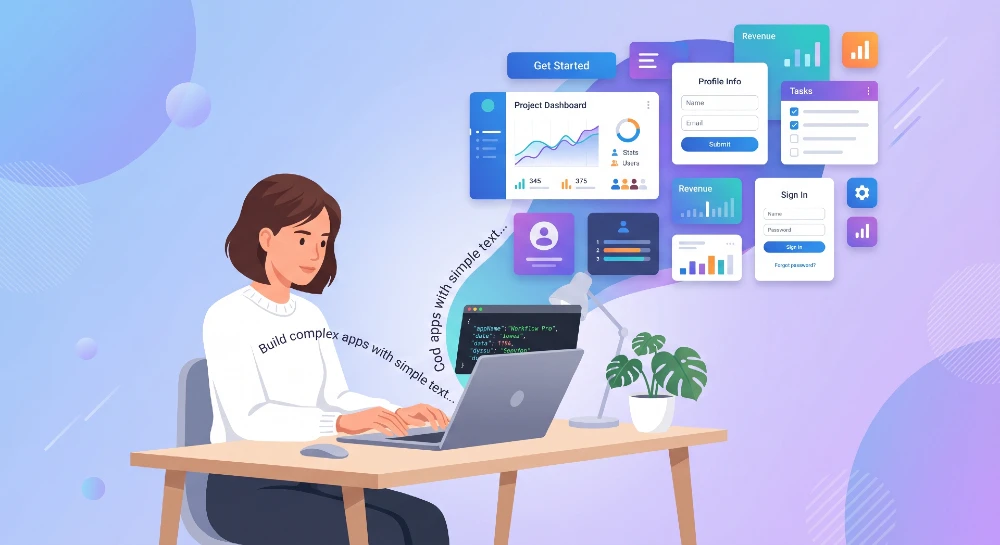
You type a sentence describing what you want, and an app appears. That’s not a sales pitch anymore it’s how tools like Replit, Bolt, and Lovable actually work in 2026. The catch is most people use them wrong and end up with broken, half-functional tools instead of something usable. Here’s how to actually build mini-apps from plain English without wasting your afternoon.
- For most beginners, Replit Agent or Bolt.new gives the best balance of speed and reliability when building from plain English prompts.
- This approach is best for people who need a quick internal tool, prototype, or single-purpose app, and it’s not ideal for anyone building something with complex user authentication or payment processing on day one.
- The most important step is writing your description in plain, specific English with concrete examples of inputs and outputs, not vague feature lists.
- The biggest mistake to avoid is asking for everything in one giant prompt instead of building the app in small, testable pieces.
- If you need a production-grade app with custom branding and scaling, switch to a tool like Cursor with a developer reviewing the code, or hire a freelancer through Upwork.
Why Plain English App Building Works Now (And Didn’t Before)
The shift happened because large language models got good at two things at once: understanding intent from messy human language, and generating working code that runs without constant errors. A few years ago, tools like this existed but the output was unreliable garbage half the time. Now? Models like Claude and GPT-4 can write a functional to-do list app, a budget tracker, or a simple CRM from a few sentences, and it actually runs on the first try more often than not.
Here’s the thing nobody explains well: these tools don’t “understand” your business. They pattern-match your description against thousands of similar apps they’ve seen during training. So when you describe something common — a habit tracker, an invoice generator, a simple booking form the AI has tons of reference points and nails it fast. Describe something unusual or industry-specific, and you’ll get more back-and-forth.
In practice, this matters because your wording choices directly affect output quality. A vague prompt like “build me an app to track my expenses” gives you a generic result. A prompt like “build a web app where I can add an expense with a date, category, and amount, see a running total for the month, and filter by category” gives you something close to what you actually pictured. Same idea, completely different output.
The Tools That Actually Work in 2026
You’ve got a handful of solid options, and they’re not interchangeable each has a different sweet spot.
Replit Agent is probably the most beginner-friendly. You describe your app, it builds the full project (frontend, backend, database if needed), and you can preview it live in the browser. It also deploys with one click, which matters because half the “no-code AI app builders” out there leave you stuck with code you can’t actually publish anywhere.
Bolt.new (from StackBlitz) is faster for simple web apps and works entirely in-browser. The downside? It can struggle with apps that need a persistent database it’s stronger for frontend-heavy tools like calculators, dashboards, or single-page utilities.
Lovable leans more toward polished UI output. If you care about your mini-app looking professional (not just functional), this one tends to produce cleaner designs out of the box. The trade-off is it can be slower to iterate on logic-heavy features.
v0 by Vercel is worth mentioning too it’s great specifically for generating UI components and layouts from descriptions, though it’s less of a full-app builder and more of a component generator you’d plug into something else.
After testing all four across different mini-app types — trackers, forms, simple dashboards Replit Agent came out ahead for anything needing a database, and Bolt.new won for quick single-page tools. Took about 15 minutes each to get a working first version, which honestly surprised me given how rough these tools were even a year ago.
How to Write a Prompt That Actually Builds What You Want
This is the part that determines whether you get a usable app or 45 minutes of frustration. Most people I’ve worked with treat the AI like Google typing short, vague queries and hoping for the best. That’s backwards.
Structure your description like this: state what the app does in one sentence, then list the specific inputs, the specific outputs, and any specific behavior or rules. For example: “Build a web app for tracking workout sessions. Users enter the exercise name, sets, reps, and weight. The app shows a list of all past entries sorted by date, with the most recent at the top, and a button to delete any entry.”
Notice there’s no mention of “modern design” or “clean UI” that stuff comes later. Nail the functionality first, then ask for styling changes in a follow-up prompt. Trying to specify function and form in one giant prompt is exactly the mistake that leads to half-broken results.
Here’s what nobody tells you: these AI builders work in a loop. You don’t get one shot. You build the core feature, test it, then ask for the next piece “now add a way to filter entries by exercise name” and so on. Treating it as a conversation rather than a one-time order form is the single biggest factor in whether your mini-app actually works.
Real Examples: What These Tools Can (and Can’t) Build Well
Let’s get specific, because “build an app” means wildly different things depending on complexity.
Easy wins (build these first if you’re new):
- Expense or budget trackers with local storage
- Habit trackers with daily check-ins
- Simple calculators (loan, tip, unit conversion)
- To-do lists with categories and due dates
- Single-page surveys or feedback forms
Medium difficulty (doable, expect more back-and-forth):
- Booking or scheduling tools with calendar views
- Simple inventory trackers with search and filters
- Basic CRMs for tracking contacts and notes
- Recipe organizers with tagging and search
Where these tools struggle (be cautious):
- Apps needing real user accounts with secure login this is where AI agent identity and security questions get genuinely tricky, and it’s worth understanding the basics of voice biometrics and decentralized identity verification before you wire up authentication for anything handling sensitive data.
- Payment processing Stripe integration is possible but error-prone without someone checking the code
- Apps needing to scale to thousands of users these tools are built for prototypes and personal tools, not Salesforce-scale infrastructure
The honest truth: if your mini-app idea fits in the first two categories, you can realistically have something working today. If it’s in the third category, budget extra time, or bring in a developer to review the security-sensitive parts.
Step-by-Step: Building Your First Mini-App
Pick a tool — Replit Agent is the safest starting point for most people. Sign up (free tier works for testing), and start a new “Agent” project.
Write your first prompt following the structure from earlier: what it does, inputs, outputs, basic rules. Hit enter and wait. This usually takes 1-3 minutes depending on complexity.
Once it builds, click the preview and actually use it. Click every button. Try entering weird data empty fields, really long text, special characters. This is where you’ll find the gaps.
Now go back to the chat and describe what’s broken or missing in plain English: “When I leave the amount field empty and click submit, it shows an error page instead of a message asking me to fill it in.” The AI will fix it. This loop build, test, describe the problem, fix is the actual workflow. Expect to go through this loop 5-10 times for a moderately useful app.
Once it works the way you want, ask for styling: “Make this look cleaner, use a card layout for each entry, and add some color.” Save this for last because design changes can sometimes break working functionality if done too early.
Finally, deploy. On Replit, this is a button labeled “Deploy” or “Publish” it gives you a live URL you can use or share immediately.
What Goes Wrong (And How to Fix It)
The most common failure mode? The AI builds something, then your next request breaks a feature that was working before. This happens because the AI sometimes rewrites more code than necessary to implement a small change.
The fix: after each successful step, ask the AI to summarize what the current app does and how it’s structured. Keep this summary somewhere. If something breaks later, you can reference it “the summary said the delete button removes the entry from the list, but now it’s not working, can you check that function specifically?” This narrows the AI’s focus instead of letting it rewrite everything.
Another common issue: data disappearing on refresh. A lot of quick-built apps store data only in browser memory (not a real database), so closing the tab wipes everything. If your mini-app needs to remember things between sessions, explicitly ask: “make sure data is saved permanently, not just in browser memory.” Replit and similar tools can add a database (often Postgres or SQLite) when asked directly they just don’t default to it unless you specify.
The catch with all of this? These tools sometimes generate code that “looks” finished but has subtle bugs a filter that almost works, a date format that breaks on certain inputs. If you’re not comfortable reading basic code, ask the AI directly: “are there any edge cases in this code that might cause errors?” It’ll usually flag them honestly.
Security and Privacy: Don’t Skip This
Here’s what surprised me during testing almost none of these tools mention data security unless you ask. If your mini-app collects anything personal (emails, names, health info, financial data), that data needs to be handled carefully, even in a “just for me” prototype.
This connects to a bigger issue companies are dealing with right now. Employees spinning up unauthorized AI tools and mini-apps without IT oversight has become a real problem it’s often called shadow AI, and enterprise governance failures around it are becoming a major compliance headache. If you’re building a mini-app for work use, even something small, check with your IT or security team first. What feels like a harmless personal project can turn into a data exposure risk fast.
On the bias and fairness side — if your mini-app makes any kind of decision (sorting applicants, scoring entries, ranking items), it’s worth understanding how AI bias shows up in automated systems and what governance controls actually help, even at a small scale. A simple ranking algorithm built from a casual prompt can inherit assumptions you didn’t intend.
And if your app involves any kind of audio, video, or identity verification feature even something as simple as a voice note recorder be aware that deepfake detection has become a real concern for AI-powered contact centers and tools, and the same risks apply at smaller scales too. Not every mini-app needs to worry about this, but if yours touches voice or video, it’s worth a quick read.
Cost: What You’ll Actually Pay
Most of these tools follow a freemium model. Replit’s free tier gives you limited “Agent” requests per month — usually enough for one or two small apps if you’re efficient with prompts. Once you exceed that, paid plans typically run $20-25/month for individual users, which covers significantly more usage.
Bolt.new uses a token-based system on its free tier you get a set number of tokens that refill monthly, and each prompt consumes tokens based on complexity. For light personal use, the free tier often covers it. For anything you’re iterating on daily, expect to pay around $20/month for the next tier up.
Real talk: if you’re building one mini-app for personal use, free tiers are usually enough. If you’re building multiple apps or iterating heavily, budget $20-30/month. Compare that to hiring a developer on Upwork for even a simple app you’re looking at $200-500 minimum for something basic, so the cost math favors AI tools heavily for simple projects.
When This Approach Isn’t Worth It
Not every idea belongs in a no-code AI builder, and pretending otherwise wastes time.
If your app idea involves handling money directly (not just tracking it, but processing payments), integrating with multiple third-party APIs that require careful authentication, or needs to comply with specific regulations (healthcare data, financial records), you’re better off hiring a developer from the start or at minimum, having one review the AI-generated code before you use it for anything real.
Similarly, if you need the app to handle more than a few hundred users reliably, these tools aren’t built for that scale yet. They’re prototyping and personal-tool platforms, not infrastructure platforms. Companies dealing with this at scale often look into formal AI risk classification frameworks to decide which tools are safe for which use cases that’s overkill for your personal expense tracker, but the underlying logic (match the tool to the actual risk level) applies even at small scale.
Pick one small, specific problem you actually have not a hypothetical business idea, something you’d genuinely use. Sign up for Replit (free tier), write a plain-English prompt following the structure from this guide, and build a working first version today. Test it by actually using it for a day or two, then iterate based on what annoys you. If it involves any personal data, take five minutes to check your company’s policy before using it for work. Most people stop at the “idea” stage because they think it requires more setup than it does the gap between “idea” and “working app” is now measured in minutes, not weeks.


