
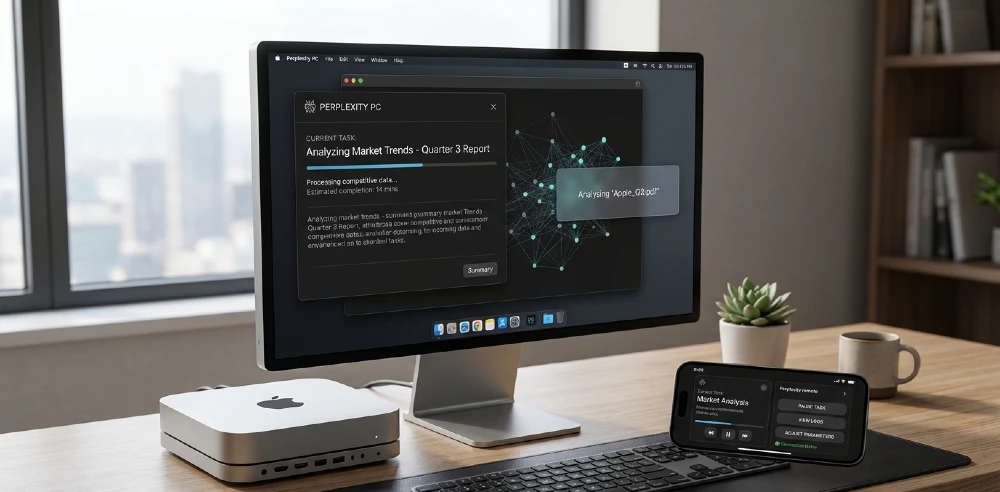
Most AI tools wait for you to ask them something. Perplexity just shipped one that doesn’t wait at all.
On April 16, 2026, Perplexity officially launched Personal Computer — an expansion of Perplexity Computer that integrates with local files and native apps directly on your Mac. This isn’t a chatbot update. This isn’t a smarter search bar. This is something genuinely different: an AI agent that runs on your machine, reads and edits your actual files, controls your native apps, and keeps working even when you’ve stepped away.
That’s a big deal. And it’s worth understanding exactly what it does — and what it means for the broader AI assistant race.
What Is Perplexity Personal Computer, Exactly?
Think of it less like an assistant and more like a digital employee who has full access to your computer.
Perplexity describes Personal Computer as bringing “the multi-model orchestration of Computer to your machine,” capable of working “across your local files, native applications, connectors, and the web to complete complex and even continuous workflows.”
The key word there is continuous. Most AI tools — including the newly launched Gemini Mac app — are reactive. You ask, they answer. Perplexity Personal Computer is proactive. You give it a goal, and it works toward that goal in the background, across multiple apps, without needing you to babysit every step.
The feature builds on Perplexity’s existing agent system, which breaks a request into smaller jobs and assigns them to different sub-agents. Running locally shifts how the system works, since those agents can now interact with real files and apps instead of staying inside a browser.
That architecture shift — from cloud-only to local — is what makes this genuinely new territory.
How to Activate It
Pressing both Command keys on a Mac activates Personal Computer, and it responds to text or voice commands.
Users may also speak to Personal Computer directly by pressing and holding the “fn” button to take in voice commands. So you’ve got two instant-access shortcuts, plus the option to access it from the Mac’s taskbar shortcut at any time.
Setup requires the updated Perplexity Mac app, which is available for macOS 14 Sonoma or later. That’s a notably broader compatibility window than Google’s Gemini app, which requires macOS 15 exclusively. More Macs qualify here.
What It Can Actually Do
Here’s the real list, based on verified sources:
Local File Access (Read and Write) Once installed, Personal Computer gains secure access to any designated folders for reading, searching, and writing files. It doesn’t just read your documents — it can edit them. That’s a capability most desktop AI tools simply don’t have.
Native Mac App Control It can interact with native Mac applications including Mail, Finder, Slack, Messages, Notes, Calendar, and the company’s own Comet browser. Real apps. Not a browser version of those apps. The actual macOS apps you already use.
Voice Orchestration Personal Computer expands the capabilities of Computer to include local file editing, local computer use, local browsing with Comet, voice orchestration, and more.
Multi-Model Orchestration The system uses Perplexity’s multi-model orchestration layer, routing subtasks across more than 20 frontier models as needed while maintaining a single conversational interface. You’re not locked to one model’s strengths. The system picks the right tool for each part of the task.
Always-On Background Operation When set up on a Mac mini, Personal Computer can run 24/7 in the background across all your apps and files. Start a task from your iPhone, and Personal Computer can operate on your desktop and local files using 2FA.
That last one deserves a pause. You can start a research task from your phone while commuting — and your Mac mini back at home is actually doing the work.
The Mac Mini Angle: Why This Pairing Matters
Perplexity isn’t subtle about this. Their official recommendation is the Mac mini as the ideal host machine.
Perplexity highlights the Mac mini as an ideal host for Personal Computer, noting that because it is often left on 24/7, the system can stay available for continuous workflows or provide secure local access to files even when a user is managing tasks from a phone on the go.
There’s also a broader hardware story here. Mac mini and Mac Studio inventory had already been tightening as demand rises for dedicated machines. Perplexity’s launch — pitching the Mac mini as a personal AI server — will only accelerate that trend.
For developers, researchers, and power users, a $600 Mac mini running Personal Computer 24/7 is a genuinely compelling setup. Your own local AI worker. Always on. Always yours.
The Orchestrator Model: Claude Is Running the Show
Here’s something that flew under most headlines.
Claude Opus 4.7 is now the default orchestrator model for Computer. You can now choose between Claude Opus 4.7, GPT-5.4, and Claude Sonnet 4.6 to be the main orchestrator model.
So Perplexity isn’t just competing with Anthropic — it’s also using Anthropic’s model as the engine driving its most powerful feature. That’s a fascinating industry dynamic. The “competition” between AI companies is increasingly also a partnership, with everyone using each other’s models for different layers of their stack.
Security: The Honest Conversation
Let’s not gloss over this.
Both Personal Computer and Perplexity Computer are designed to keep the user in the loop on sensitive actions. You can see what it is doing, step in when needed, and stay in control of important decisions. Files are created in a secure sandbox. Actions are auditable and reversible.
That’s the right approach. But AppleInsider raised a fair concern worth repeating: giving AI direct control over files carries real risk when something goes wrong, and the setup still asks users to trust an always-on agent with broad access.
This is the honest trade-off. More power means more trust required. If an agent can write your files, it can also overwrite them. The sandbox and audit trail help. But users should go in with eyes open — this is powerful software, and power cuts both ways.
Who Can Use It Right Now
Users subscribed to the Perplexity Max tier — a $200 per month subscription — are the only ones currently eligible to use the feature. Those on the earlier waitlist are being prioritized for rollout.
Personal Computer is coming soon to Windows as well — sign up on the waitlist to be notified when Windows is available.
So Mac-first, Max subscribers first. That’s a narrow initial audience. But for the people it targets — professional power users, developers, researchers — $200/month for a 24/7 autonomous local AI agent isn’t an unreasonable ask if it genuinely replaces hours of manual work.
How It Compares to Gemini and Claude Desktop
Be direct about this.
Google’s Gemini Mac app — launched just one day earlier — can see your screen and answer questions about it. That’s useful. But it cannot act on what it sees. No file edits. No app control. No background tasks.
Claude Desktop is excellent for deep, focused work. But it doesn’t have always-on background operation or the multi-model orchestration layer that Perplexity is running.
Perplexity Personal Computer is doing something categorically different: it’s an agent, not an assistant. The distinction matters. An assistant helps when you’re present. An agent works when you’re not.
What’s Coming Next
Perplexity also improved the broader Computer platform with better background agent controls, Spaces collaboration for team workflows, and a new personal CFO feature that connects to bank accounts and credit cards via Plaid for spending tracking and budget management.
The roadmap is clearly pointing toward a full-stack digital worker — one that handles your research, your files, your calendar, your finances, and eventually your email and communications, all from a single Mac mini running quietly on your desk.
That vision is ambitious. But based on what shipped on April 16, they’re already further down that road than most people realize.
Google launched a native Mac app. That’s a headline. Perplexity launched an AI that works on your Mac while you sleep. That’s a different story entirely.
Personal Computer works as an orchestrator across local files, native apps, connectors, and the web in one system. It can help with tasks that are too messy for a chat box and too repetitive to keep doing by hand.
That’s the gap it’s filling. And right now, nothing else on Mac fills it quite the same way.
Check Latest news about : Humanoid Robots Ran the Beijing Half-Marathon And Some Beat Elite Human Times


